Computing
Our Whole School Computing Overview
Computing at Drighlington Primary School
At Drighlington Primary, we recognise that technology is a huge part of everyday life. Through our computing curriculum, we help children develop the skills and confidence they need to use technology safely, creatively and responsibly—both now and in the future.
We want our children to understand how technology works, how to use it effectively and how to stay safe online. Our aim is to prepare them for a world where digital skills are essential in learning, work and daily life.
“Computing is not about computers anymore. It is about living.” – Nicholas Negroponte

What does computing look like in our school?
Computing is taught through a range of exciting and practical lessons where children develop both their understanding and their skills.
In lessons, children:
- Learn how to use technology safely and responsibly
- Create and edit digital content such as documents, presentations and images
- Develop coding and programming skills
- Use technology to research, organise and present information
- Solve problems and think logically
We also show children that they can be creators, not just users, of technology. They begin to understand how the skills they are learning link to real-life jobs and future opportunities.
Children learn about careers such as:
- Game designers and programmers
- App developers
- Digital designers and content creators
- Cyber security experts
- Engineers and technology specialists
Online safety
Keeping children safe online is a key priority in our school.
We teach online safety:
- As part of regular lessons
- Through dedicated focus weeks
- As part of our everyday safeguarding approach
Children learn how to:
- Stay safe when using the internet
- Protect their personal information
- Recognise risks and know what to do if something doesn’t feel right
- Make positive and responsible choices online
Learning beyond the lesson
We encourage children to use their computing skills in meaningful ways across all areas of learning.
They are given opportunities to:
- Work collaboratively on digital projects
- Create purposeful pieces of work
- Use technology to express their ideas
- Apply their skills in different subjects
Digital Ambassadors
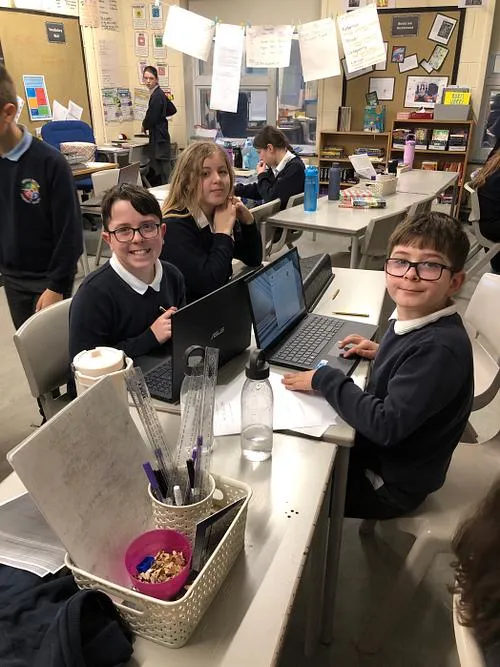
We are proud to have a team of Digital Ambassadors in school. These pupils play an important role in promoting the safe and positive use of technology.
Our Digital Ambassadors:
- Support the promotion of online safety across the school
- Meet regularly with the Computing Lead to share ideas and feedback
- Help to support other pupils in using technology
- Have opportunities to teach parts of computing lessons, building their confidence and leadership skills
This helps to develop pupil voice and gives children real responsibility in shaping how technology is used in our school.
How you can help your child at home
Partnerships with parents and carers is an important part of Drighlington Primary School. Working closely with parents enables us to ensure parents feel confident that their child is safe, well looked and is receiving a high quality education during their school hours. The links below offer a range of resources that may also be useful to families.
Scratch - a site to learn how to code and make you own games
Code.org - great way to learn and play
https://www.drighlingtonprimary.co.uk/children# - Our own website Children's page
Hour of Code - this website takes you through various coding activities step-by-step using current topics to engage children
BBC Primary Computing - this website has lots of learner guides and short videos to teach children how to tackle tricky Computing concepts
Places to visit
Local libraries offer use of computers
Eureka, National Children's Museum, Halifax https://www.eureka.org.uk/
Further support and useful weblinks
Early Years Development Matters
https://www.gov.uk/government/collections/national-curriculum
https://www.stem.org.uk/primary-computing-resources
https://www.barefootcomputing.org/primary-computing-resources
dside tips and advice on keeping your child safe online.pdf
.